JavaFX is the usual replacement when you want a richer desktop UI than Swing. Swing still ships in the JDK. JavaFX does not; it is a separate OpenJFX project you pull in with Maven.
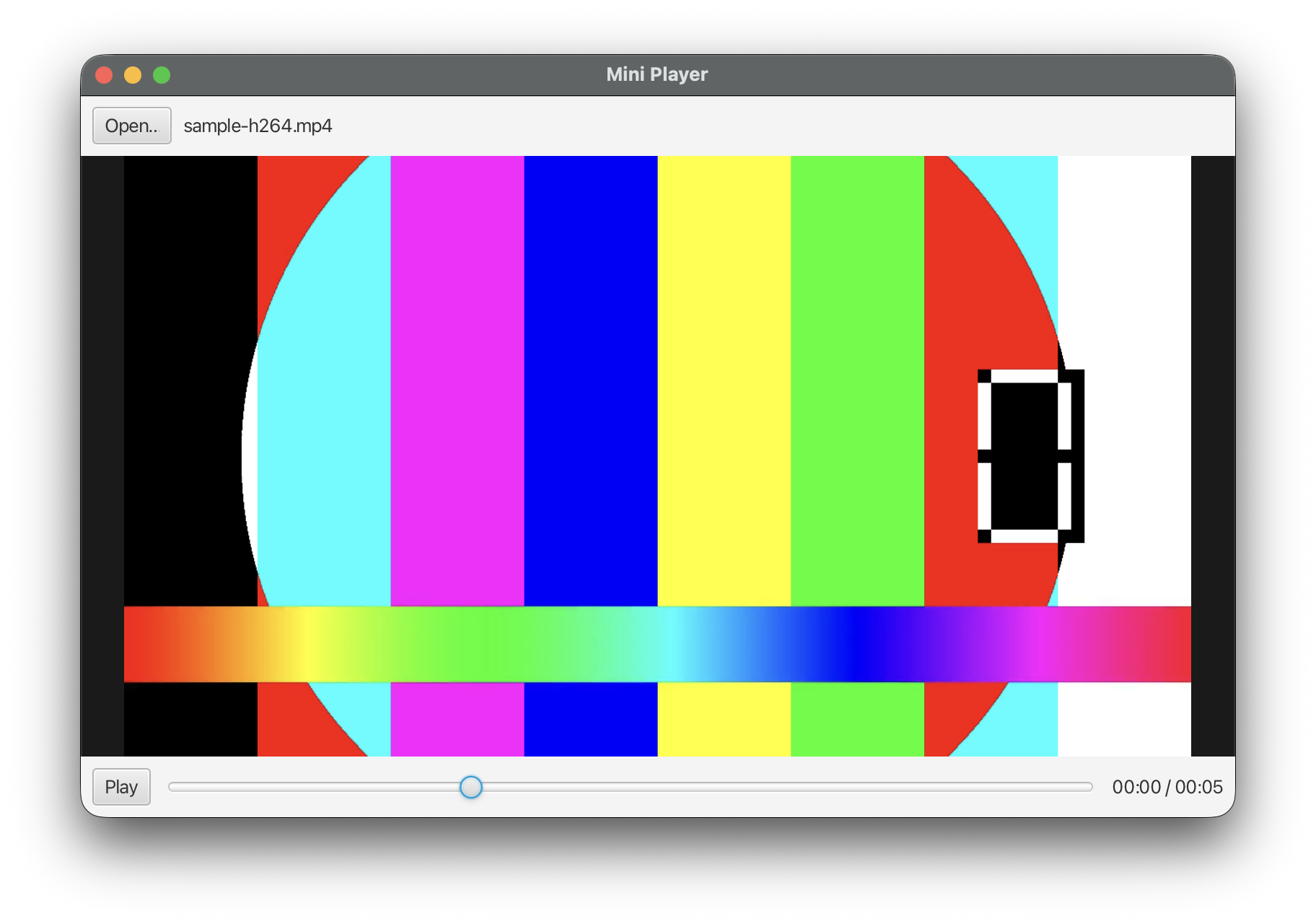
I built a small player that opens a local file and plays it. Source: github.com/zlu/javafx-mini-player. The rest of this post walks through that app in build order: window, button, file picker, playback, then the seek slider.
git clone https://github.com/zlu/javafx-mini-player.git
cd javafx-mini-player
mvn javafx:run
You need JDK 21+ (the sample targets JavaFX 25, so newer is safer) and Maven 3.9+ to build the app. The repo ships a short H.264/AAC sample-h264.mp4. Use that first; random downloads can fail for codec reasons (more on that at the end).
Maven
Two artifacts are declared as dependencies: javafx-controls for buttons and layout, javafx-media for playback. The javafx-maven-plugin puts those modules on the path when you run mvn javafx:run, so you do not install a separate JavaFX SDK by hand.
<dependency>
  <groupId>org.openjfx</groupId>
  <artifactId>javafx-controls</artifactId>
  <version>${javafx.version}</version>
</dependency>
<dependency>
  <groupId>org.openjfx</groupId>
  <artifactId>javafx-media</artifactId>
  <version>${javafx.version}</version>
</dependency>
I also pass --enable-native-access=javafx.graphics,javafx.media on the plugin so newer JDKs stop warning about restricted native calls.
1. Open a window
In Swing you would create a JFrame, put a JPanel in it, and call setVisible(true). JavaFX splits that into a few named pieces.
| Piece | Role |
|---|---|
Application |
entry class; you override start(Stage) |
Stage |
the OS window (title, size, show/hide) |
Scene |
what fills the window: size, root node, optional CSS |
| scene graph | tree of Nodes under that root (Button, Label, MediaView, …) |
If you have used Unity, the scene graph is the same idea as a hierarchy of GameObjects: a tree the runtime walks each frame. Stage is just the window that hosts that tree. It is not a game engine; there is no Transform or Update loop you write yourself.
main only boots the toolkit with launch(). Do not new MiniPlayerApp() yourself.
public static void main(String[] args) {
    launch(args);  // toolkit constructs Application, then calls start(Stage)
}
Minimal start: one empty BorderPane as the root, wrap it in a Scene, show the Stage.
@Override
public void start(Stage stage) {
    BorderPane root = new BorderPane();
    stage.setTitle("Mini Player");
    stage.setScene(new Scene(root, 800, 500));
    stage.show();
}
start runs on the JavaFX Application Thread. Put UI work there. Background work that touches controls has to bounce back with Platform.runLater.
FXML. Bigger apps often put the same tree in an .fxml XML file and load it with FXMLLoader. Scene Builder is the drag-and-drop editor for that: place controls, set properties, write .fxml. IntelliJ IDEA and Eclipse can open those files with Scene Builder as the visual editor (similar to Android Studio’s layout preview). VS Code and NetBeans have weaker support. For a one-class sample I build the graph in Java so every listener sits next to the control it touches.
2. Add chrome: Open button and a video area
Inside the BorderPane I place a top bar, a center area for video, and transport controls (play/pause, slider) on the bottom.
MediaView mediaView = new MediaView();
StackPane center = new StackPane(mediaView);
center.setStyle("-fx-background-color: #1a1a1a;");
mediaView.fitWidthProperty().bind(center.widthProperty());
mediaView.fitHeightProperty().bind(center.heightProperty());
mediaView.setPreserveRatio(true);

Button open = new Button("Open…");
Label status = new Label("No media");
HBox top = new HBox(8, open, status);

Button playPause = new Button("Play");
Slider seek = new Slider(0, 100, 0);
Label timeLabel = new Label("00:00 / 00:00");
HBox bottom = new HBox(8, playPause, seek, timeLabel);

BorderPane root = new BorderPane();
root.setTop(top);
root.setCenter(center);
root.setBottom(bottom);
MediaView is the node that draws frames once a MediaPlayer is attached. Until then the center pane is just a dark rectangle. Play/Pause and the slider stay disabled until a file is ready.
3. Hook Open to a FileChooser
setOnAction is the JavaFX click listener (Swing’s ActionListener equivalent).
open.setOnAction(e -> openFile(stage));
FileChooser.showOpenDialog(stage) blocks until the user picks a file or cancels. Cancel returns null.
private void openFile(Stage stage) {
    FileChooser chooser = new FileChooser();
    chooser.setTitle("Open media");
    chooser.getExtensionFilters().add(
            new FileChooser.ExtensionFilter(
                    "Video", "*.mp4", "*.m4v", "*.aif", "*.aiff", "*.wav"));
    File file = chooser.showOpenDialog(stage);
    if (file == null) {
        return;
    }
    load(file);
}
4. Play the file: Media, MediaPlayer, MediaView
| Type | Role |
|---|---|
Media |
source URI (file: URL for a local path) |
MediaPlayer |
play / pause / seek; exposes time properties |
MediaView |
scene-graph node that paints decoded frames |
private void load(File file) {
    disposePlayer();  // stop any previous file first
    status.setText(file.getName());

    Media media = new Media(file.toURI().toString());
    MediaPlayer player = new MediaPlayer(media);
    mediaPlayer = player;

    mediaView.setMediaPlayer(player);
}
That is not enough to call play() yet. After new MediaPlayer(media), duration and many properties are still invalid. The player has to finish opening the file and reach status READY. setOnReady registers a callback for that moment: you pass a runnable, the toolkit runs it later on the Application Thread.
player.setOnReady(() -> {
    Duration total = player.getTotalDuration();
    seek.setMax(total.toMillis());
    seek.setDisable(false);
    playPause.setDisable(false);
    playPause.setText("Pause");
    timeLabel.setText(format(Duration.ZERO) + " / " + format(total));
    player.play();
});
Inside that callback I set the slider max to the media length in milliseconds, enable Play/Pause and the slider, then call play() for the first time. If you call getTotalDuration() or play() right after construction, you often get unknown duration or a no-op. Wait for ready.
Codec and container failures usually land on error handlers, not as a thrown Java exception:
media.setOnError(() -> Platform.runLater(() ->
        status.setText("Media error: " + media.getError())));
player.setOnError(() -> Platform.runLater(() ->
        status.setText("Player error: " + player.getError())));
Play/Pause is ordinary button wiring against MediaPlayer:
playPause.setOnAction(e -> {
    if (mediaPlayer.getStatus() == MediaPlayer.Status.PLAYING) {
        mediaPlayer.pause();
        playPause.setText("Play");
    } else {
        mediaPlayer.play();
        playPause.setText("Pause");
    }
});
5. How the seek slider works
While the file plays, the player updates currentTimeProperty(). I copy that into the slider so the thumb tracks the clock:
player.currentTimeProperty().addListener((obs, oldT, newT) -> {
    if (!seeking) {
        seek.setValue(newT.toMillis());
    }
    timeLabel.setText(format(newT) + " / " + format(player.getTotalDuration()));
});
When the user drags the thumb, JavaFX sets valueChangingProperty to true for the duration of the drag. If I kept writing currentTime into the slider during that drag, the thumb would jump back to the playhead on every tick. So:
- On drag start: set
seeking = true(skip clock → slider writes). - On drag end (
changinggoes back tofalse): callmediaPlayer.seek(...)with the slider value.
private boolean seeking;

seek.valueChangingProperty().addListener((obs, was, changing) -> {
    seeking = changing;
    if (!changing && mediaPlayer != null) {
        mediaPlayer.seek(Duration.millis(seek.getValue()));
    }
});
A click on the track (no drag) may leave valueChanging false the whole time. I also seek on mouse release for that case:
seek.setOnMouseReleased(e -> {
    if (mediaPlayer != null && !seek.isValueChanging()) {
        mediaPlayer.seek(Duration.millis(seek.getValue()));
    }
});
End to end: clock drives the slider while idle; user drag owns the thumb; releasing the mouse tells the player where to jump.
Dispose before opening another file
Native decoder state does not vanish when you drop the Java reference. Before loading a second file (and on window close), stop and dispose the old player:
private void disposePlayer() {
    MediaPlayer old = mediaPlayer;
    mediaPlayer = null;
    mediaView.setMediaPlayer(null);
    if (old != null) {
        old.stop();
        old.dispose();
    }
}
I clear the field first so late currentTime callbacks from the dying player can no-op safely.
Codec limits (why the sample MP4 is in the repo)
JavaFX Media is not VLC. Supported containers and codecs depend on the OS backends (AVFoundation on macOS, etc.). A file that plays in QuickTime or VLC can still fail here.
I hit that with a movie file: OpenJFX refused it (black video / error path) while other players were fine. That is why the repo includes sample-h264.mp4. Start with that file. If your own MP4 fails, convert to a short H.264/AAC MP4 that already plays in the OS player, or replace the engine (libVLC via vlcj is the common JVM path).
On macOS, prefer JavaFX 23+ for local video; 21 had an AVFoundation bug that showed audio with a black frame. The sample uses 25.x.
What I skipped
- External CSS and a full FXML layout
- Playlist, volume, mute, fullscreen
- Packaging a self-contained installer
- Shipping native codec bundles and the license work that comes with them